
Life happens, and sometimes plans change. If you need to transfer your conference pass to a friend or colleague, we’ve got you covered.
Log In to Get Started
To ensure you're accessing the correct order, kindly log-in to your account using the same email address used at checkout.
If you did not create an account during checkout, please register here: https://tickets.b.tc/my-account/register
(NOTE: use the same email address used at checkout)
The direct link to the TIcketing Platform is located at the end of this guide.
Locate Your Order
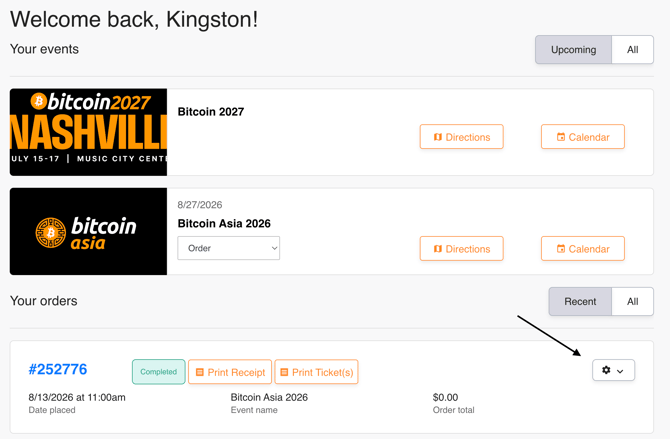
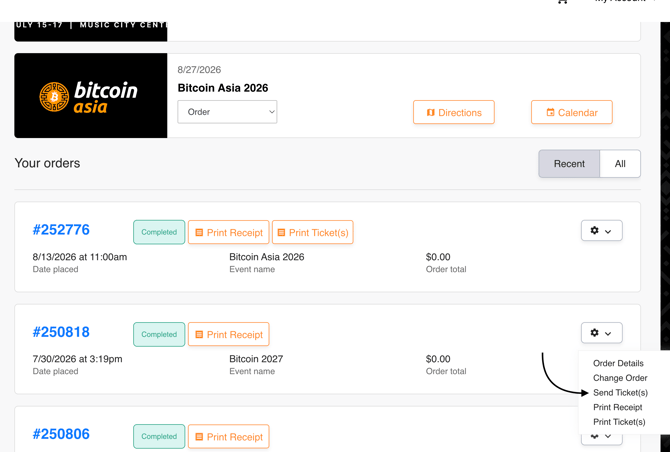
Once you’re in your account dashboard, find your purchase order and click on the "gear" to open the options menu.
"Send Ticket(s)"
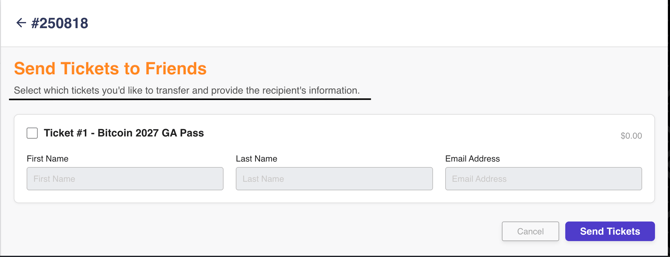
Then, kindly provide the necessary information to transfer your pass.
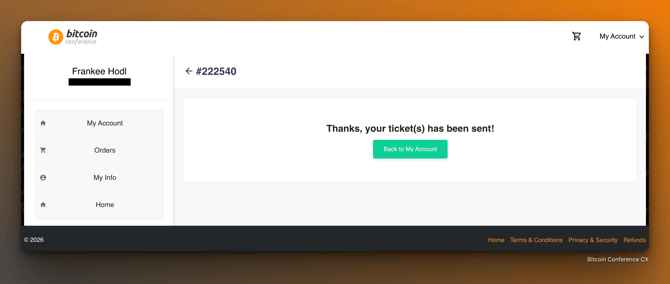
My Account
Need a Hand?
If you run into any hiccups or have questions, our team is available at Support@btcmedia.org
-The Bitcoin Conference CX Team-